

How to export selected WhatsApp messages as PDF
Create a PDF from the messages you selected—not the entire chat.
When only one decision, milestone, invoice, or exchange matters, save those messages first and export that saved set as PDF.
Quick answer
Open a saved set, tap More, then Export PDF. Chat Archive creates a localized PDF containing only that set and shows omission separators where selected messages were not adjacent in the source chat.
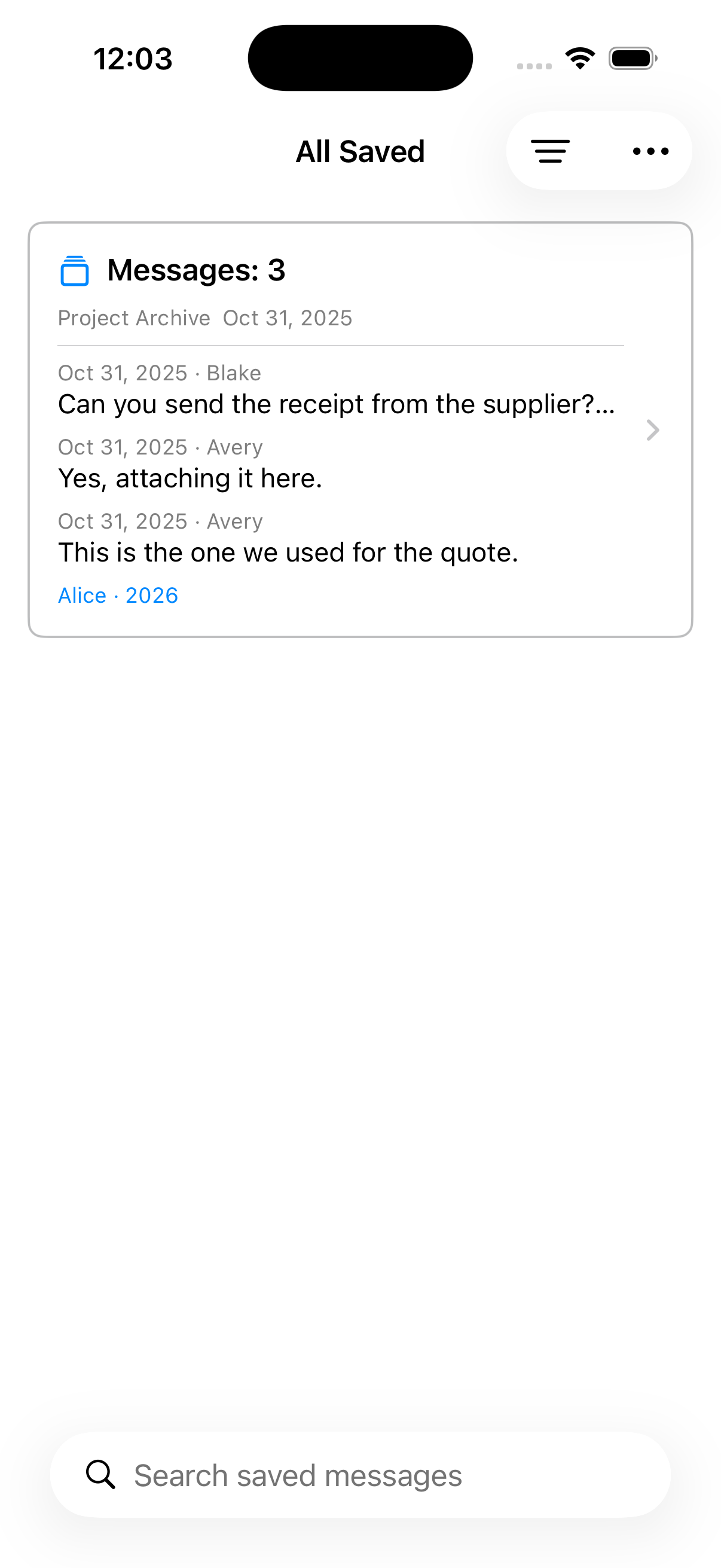
Export one focused set
Save a focused set of messages from an imported WhatsApp chat, review the visible gaps, and export that one saved set as a readable PDF.
Review the saved set
Check the messages, dates, included media, and visible gaps before exporting.
Choose Export PDF
Use More in the saved-set detail to create the PDF from the selected messages.
Handle the copy carefully
Preview the document, then save or share it with the same care as the original conversation.
Selected set versus complete chat
This exports one saved set, not a whole Label or several sets. Complete-chat PDF export is a separate feature, and neither PDF is forensic proof or a restorable WhatsApp backup.
Read guides
How to save important WhatsApp messages
Select the messages that matter from an imported WhatsApp chat, organize them with Labels, and find them again without scrolling through the whole conversation.
Turn special WhatsApp conversations into a private memory album
Keep the conversation surrounding family milestones—messages, reactions, photos, and voice notes—and move from one saved moment to the next.
Organize invoices, payments, and follow-ups from WhatsApp chats
Collect practical messages from imported WhatsApp conversations, group them with Labels, and return to the original context when you need it.