
How to open a WhatsApp chat export ZIP on iPhone
Turn a WhatsApp export ZIP into a readable chat.
WhatsApp exports can be hard to read: a ZIP file, a large text file, and separate attachments. Chat Archive opens the ZIP on iPhone and rebuilds it as a readable, searchable chat.
Quick answer
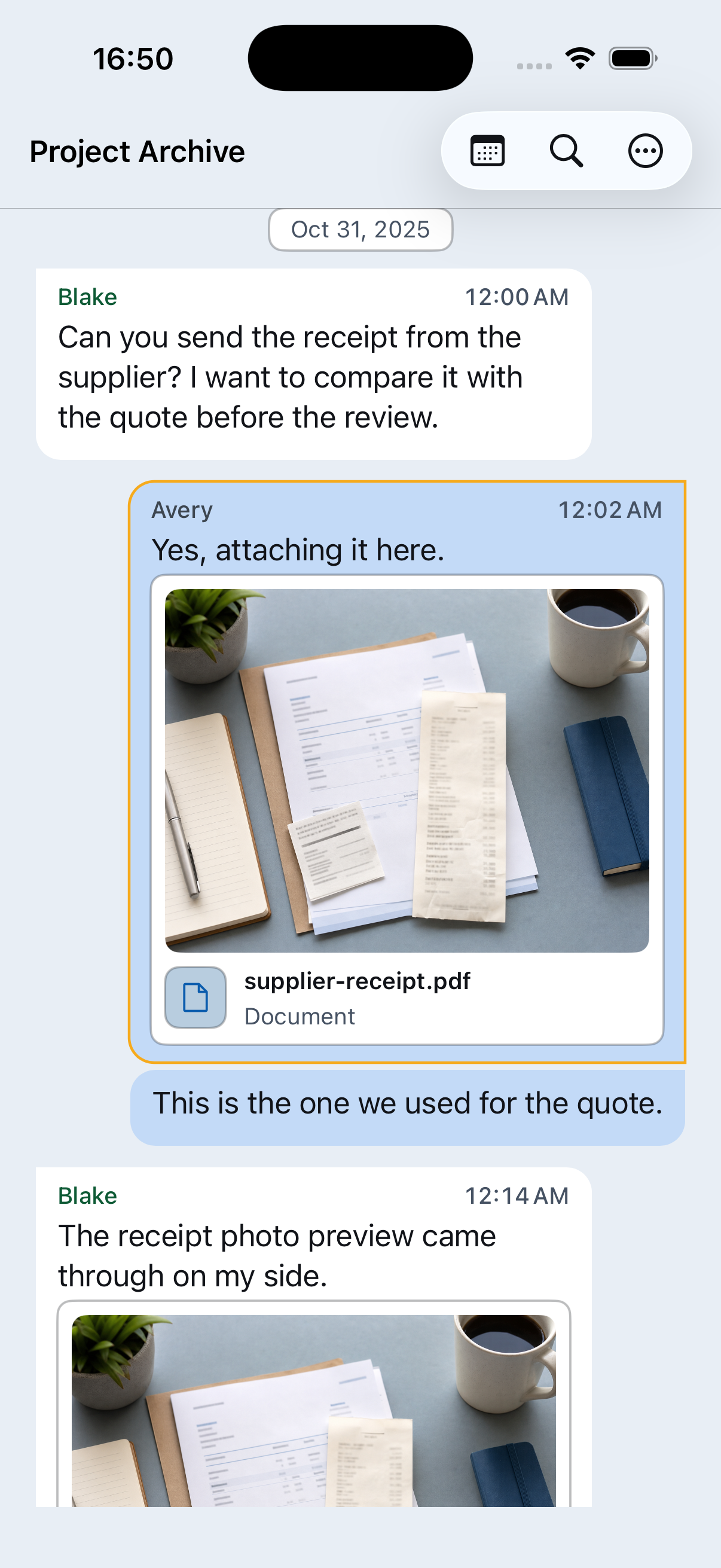
Choose the WhatsApp export ZIP from Files or another iPhone location. Chat Archive opens the export, rebuilds the conversation as a chat, keeps included media near the messages, makes the archive searchable, and lets you preview a PDF.
Ready to read the export?
Open the ZIP on iPhone, search the chat, check media, and preview a PDF.

Why the export is hard to read by itself
A WhatsApp export is made for storing or moving data, not for comfortable reading. It usually includes a text file and, if media was included, separate files for photos, videos, documents, audio, and voice messages. Chat Archive puts those pieces back into chat context.
Open the ZIP on iPhone
Start with the original WhatsApp export ZIP and keep it as your source file.
Save the ZIP somewhere reachable
Use Files, iCloud Drive, AirDrop, email, external storage, or another transfer method you trust.
Open it in Chat Archive
Choose the exported ZIP when importing a chat.
Read the conversation
Messages appear in order with dates, senders, and chat context.
Check media and files
Open included photos, videos, documents, audio, voice messages, and attachments.
Search what matters
Find names, phrases, dates, receipts, places, and available voice transcripts.
Preview a PDF
Review the PDF before saving, sharing, or printing.
Use the original ZIP
For best results, open the original WhatsApp export ZIP. If you only have the text file, Chat Archive can show the messages, but photos, videos, documents, and voice messages need to be present in the export to appear with the chat.
What Chat Archive makes easier
Instead of digging through a raw text file, you can read the export like a conversation. Included attachments stay near the messages they belong to, voice messages can be played and transcribed on iPhone, search works across the imported chat, and PDF preview gives you a readable copy when you need one.
If something is missing
Chat Archive shows what is inside the ZIP. If a photo, video, file, or voice message is missing, check whether the chat was exported with media and whether the file was available in WhatsApp when the export was created.
Save a readable copy
Preview the PDF before saving, sharing, or printing. Keep the ZIP as the source file even if you create a PDF.
Processed on your iPhone
Chat Archive processes the imported export on your iPhone. Keep the ZIP somewhere you trust, and handle PDFs or shared copies like the original conversation.
Next: choose the right export
How to export a WhatsApp chat on iPhone
Export one WhatsApp chat from iPhone, save the ZIP file, and open it in Chat Archive to read, search, review media, and save a PDF.
Where are WhatsApp messages stored?
Chat Archive opens WhatsApp export ZIP files on your iPhone and processes imported chat content on your device.
WhatsApp export vs backup: what is the difference?
A WhatsApp backup restores WhatsApp. A WhatsApp export gives you a separate copy of one chat you can open, read, search, and save as a PDF.
Save your WhatsApp conversations as PDF
Turn an exported WhatsApp conversation into an organized PDF, or create a focused document from only the messages you saved.