

Save your WhatsApp conversations as PDF
Turn an important conversation into an organized document that is easy to revisit.
Some conversations need to stay within reach. You may want to check a work agreement, find a photo again, or preserve an exchange you do not want to lose. Chat Archive can turn the entire imported conversation into a PDF, or collect only the messages you chose to save. The result is an organized document with messages in order, available media and attachment previews, plus an index and conversation details.
Important conversations, kept well
A PDF built with attention to every detail
A useful document is more than messages placed on pages. Chat Archive first establishes what you are looking at, then makes the conversation easy to follow, and finally adds references that help you find dates and files without losing their context.
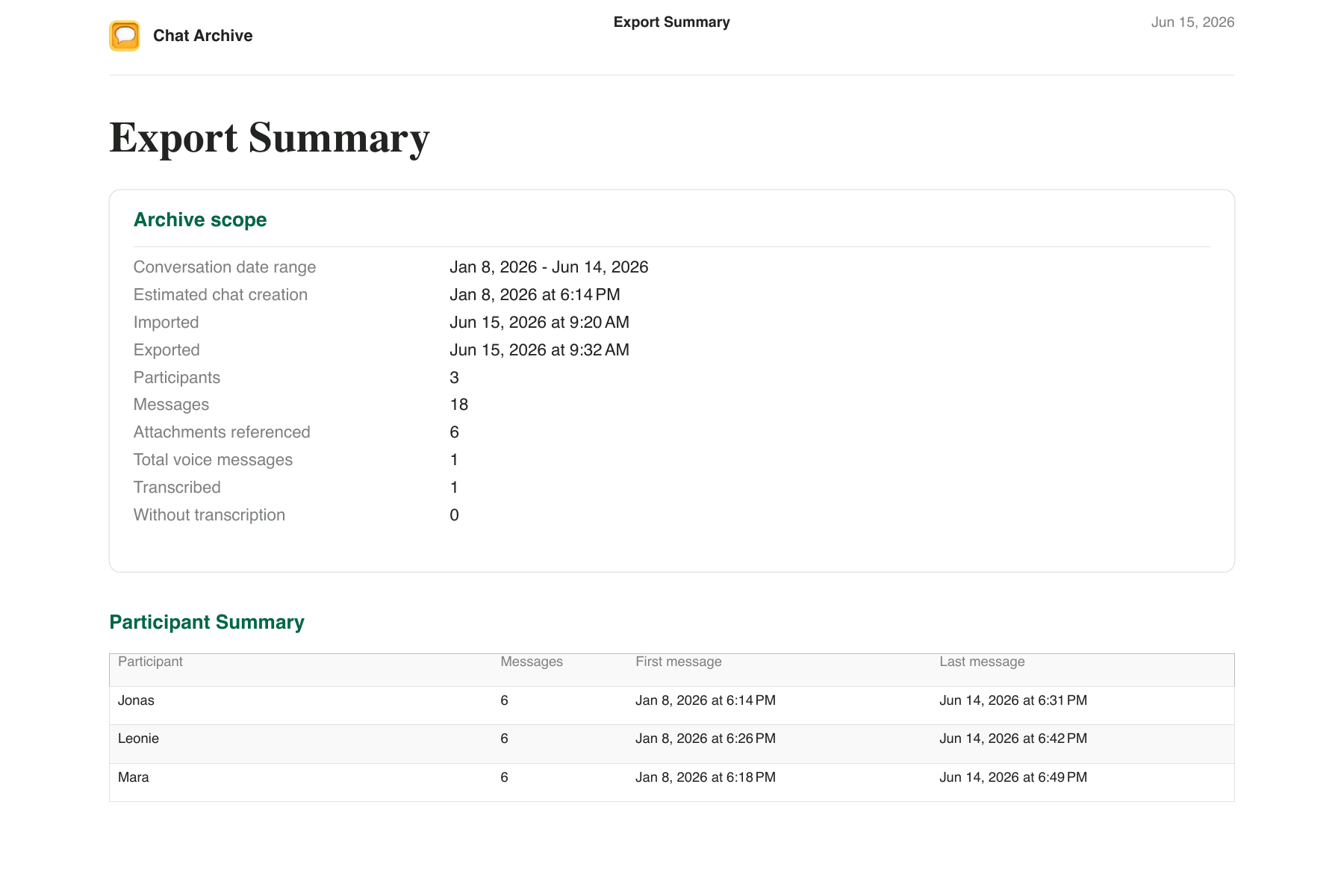
Before the first message, you already know what you are reading
The PDF opens with the conversation period, import and export dates, participants, and counts for messages, attachments, and voice messages. The participant summary also shows when each person first and last appears. Months later, the document still makes sense without relying on memory.
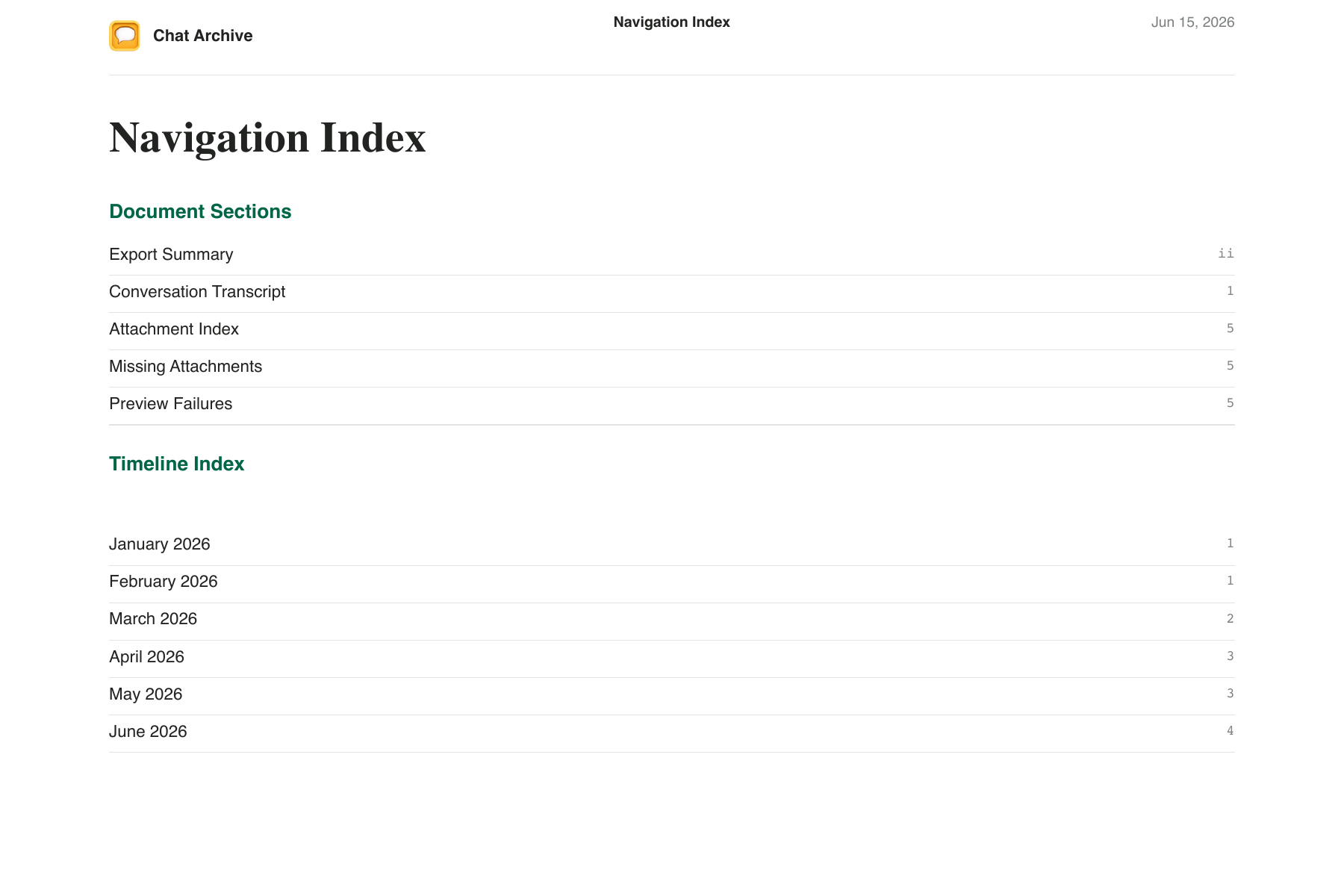
Long conversations can get a map of their own
When a conversation spans many months, the PDF can include a navigation index with links to document sections and a timeline arranged by year and month. Instead of scanning dozens of pages, you can begin with the period you need.
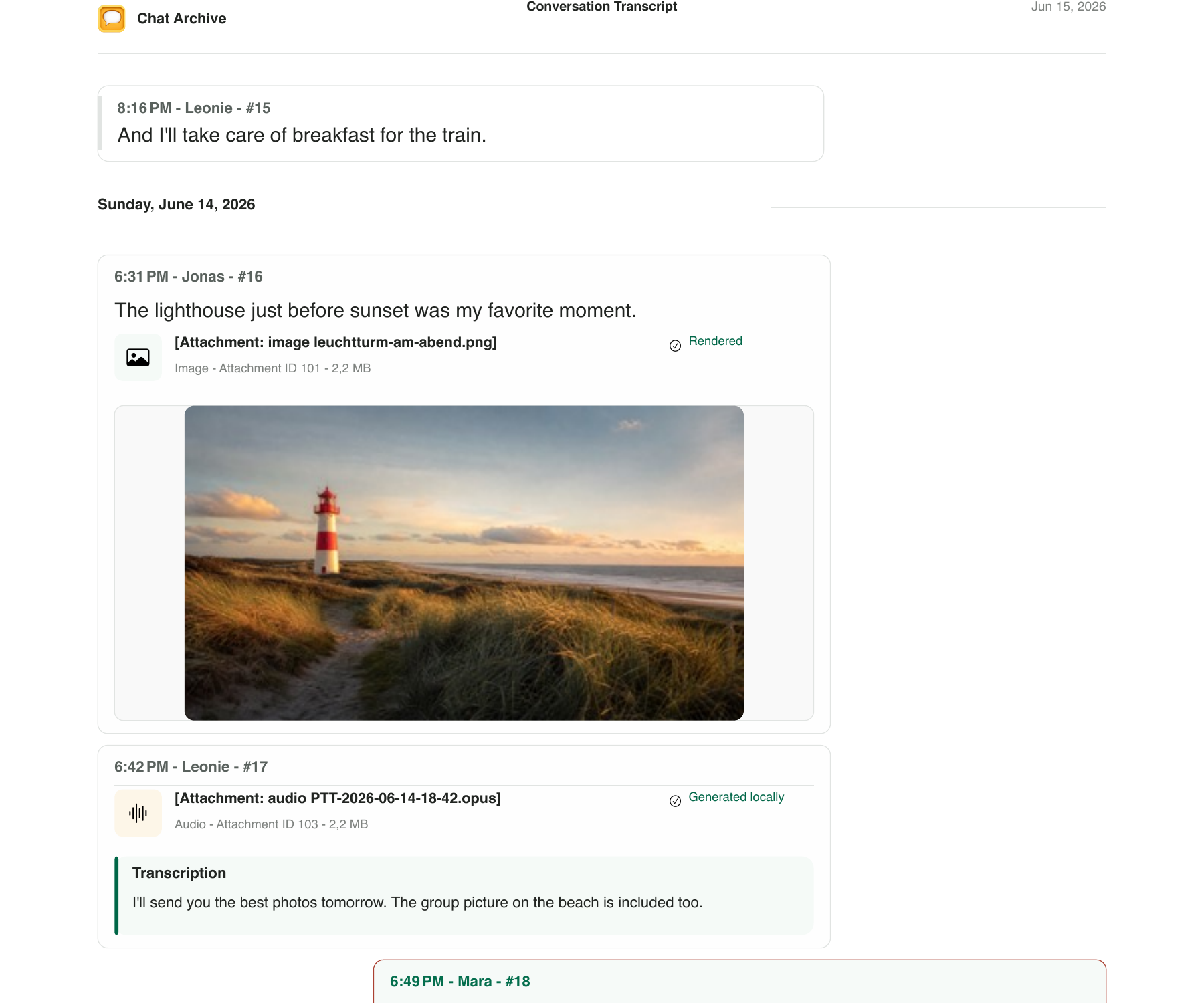
Messages stay in context
Date dividers mark the passage of time; names, times, and references identify each message. When Chat Archive can determine which messages you sent, it places outgoing and incoming messages on opposite sides. Available photos and transcripts stay beside the message they belong to.
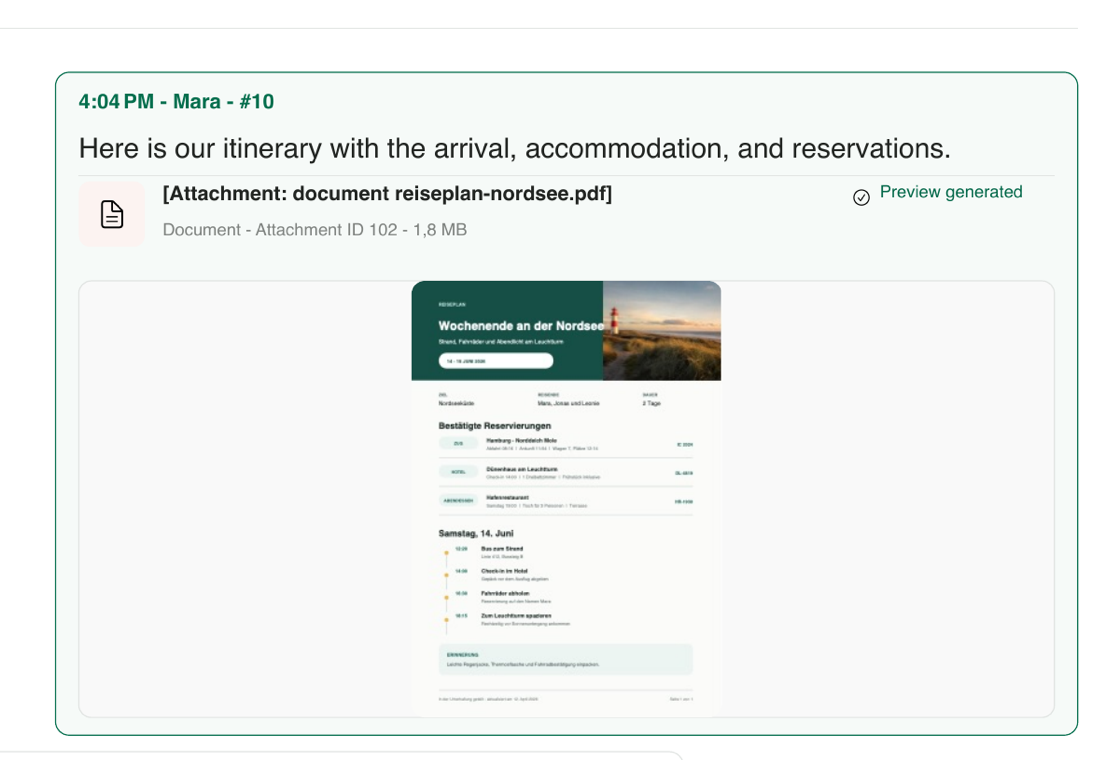
The document's first page appears inside the conversation
When an attachment is a supported PDF and a preview can be created, Chat Archive shows its first page beside the message. This crop comes from a PDF that was actually attached to the sample conversation and rendered by the app, so you can recognize the document without leaving the moment in which it was shared.
At the end, every file leaves a trail
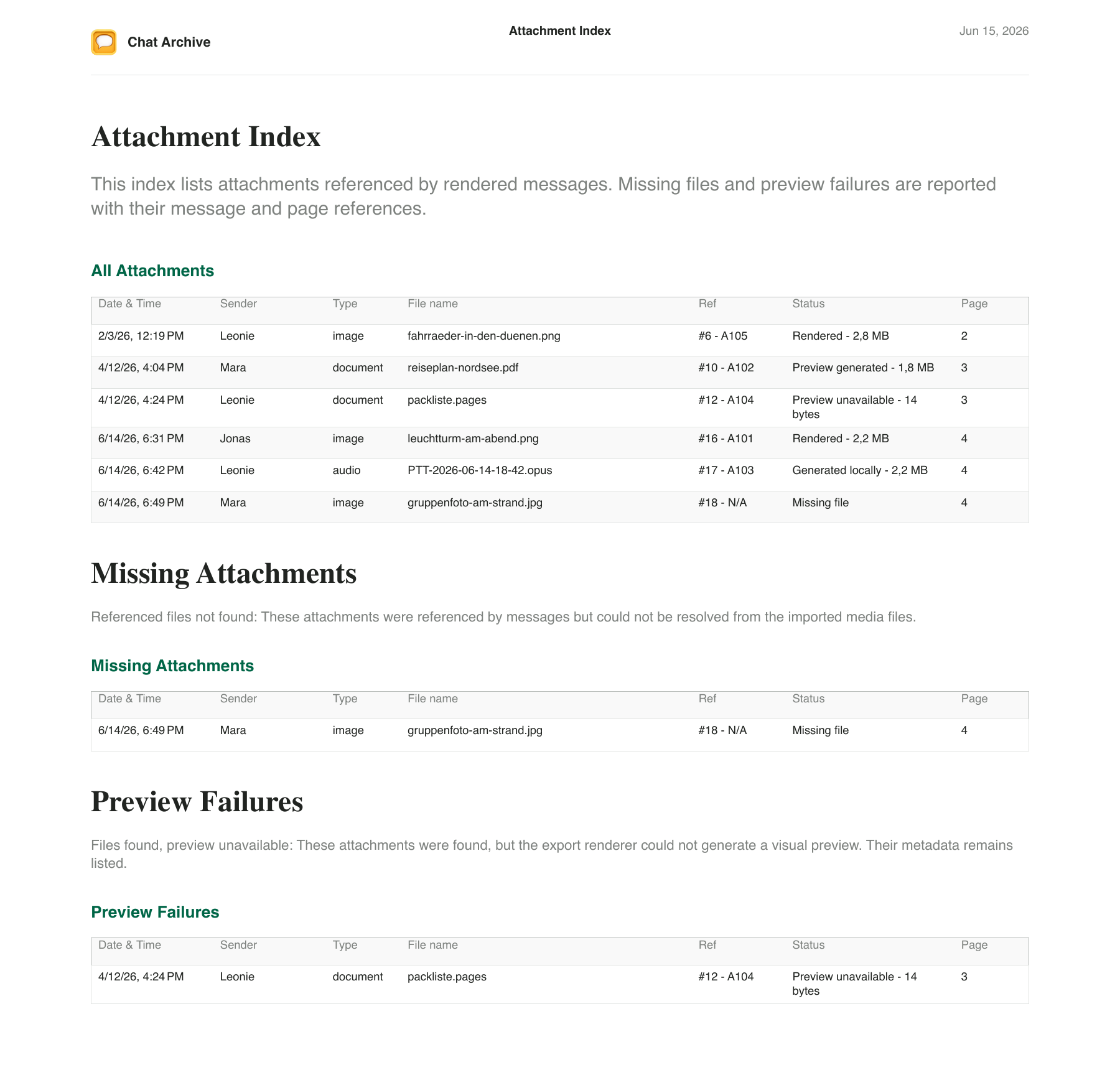
The attachment index records the date, sender, type, filename, message reference, status, and page. Missing files and preview failures have their own sections, so you can see what was included, where it appears, and what could not be previewed.
Generated by the app from a fictional conversation. It contains no real messages or personal data.
The whole conversation — or only the messages you chose
Not every document needs to tell the whole story. Sometimes you only need an agreement, a sequence of photos, an important instruction, or the messages from one day.
When you want to preserve the entire imported conversation
Open the imported conversation and create a PDF with the available messages in chronological order, a summary, an attachment index, and — for long conversations — navigation indexes. You can inspect every page for free; saving, sharing, or printing this PDF requires Premium.
When only one saved set needs to become a document
Select one or more messages — or an entire day — and save them as a set. Open that set in Saved and create a focused PDF. Order is preserved, available attachments stay with their messages, and the document marks gaps between messages that were not selected. Each PDF contains one saved set. The set references its imported source conversation and is removed if that conversation is deleted.
From a WhatsApp conversation to a PDF you can keep
You do not have to arrange messages, photos, and files by hand. Chat Archive starts from the exported conversation and builds the document for you.
Bring the conversation with you
Use WhatsApp's Export Chat feature. Include media when photos, documents, or voice messages are part of what you want to preserve.
Open the exported file
On your iPhone, open the ZIP exported by WhatsApp with Chat Archive. The app organizes the messages and attachments so you can read the conversation at your own pace.
Check it before you decide
Create the PDF and inspect every page for free. That way, you know the document is useful before unlocking saving, sharing, or printing with Premium.
What if the conversation contains photos, audio, or years of history?
Chat Archive organizes what came with the WhatsApp export and makes clear what is available in the PDF.
Photos and documents stay beside their messages
When the files are present in the WhatsApp export, the PDF can include the available attachments and previews where they appeared in the conversation.
Voice messages do not lose their context
When a transcript is available, it appears beside the matching voice message. If there is no transcript, the PDF makes that clear.
You can tell when a file did not arrive
Referenced files that cannot be found and previews that could not be created are identified in the conversation and attachment index.
Long conversations remain easy to navigate
When a conversation spans many months, the PDF can include navigation and timeline indexes with links to sections, years, and months.
The PDF is for reading. The original export is for keeping.
The PDF turns the conversation into an organized document. The ZIP exported by WhatsApp remains the source of the content you imported. If the conversation matters, it is worth keeping both.