Chat Archive
English
EnglishPortuguês (Brasil)PortuguêsEspañolFrançaisDeutschItalianoBahasa Indonesiaहिन्दीالعربيةČeštinaעבריתNederlandsPolskiRomânăРусскийTürkçeTiếng Việt简体中文繁體中文

CONVERSATIONS THAT MATTER

Keep the words of the people you love.

Their morning hello. The recipe they talked you through. The way they tell a story.

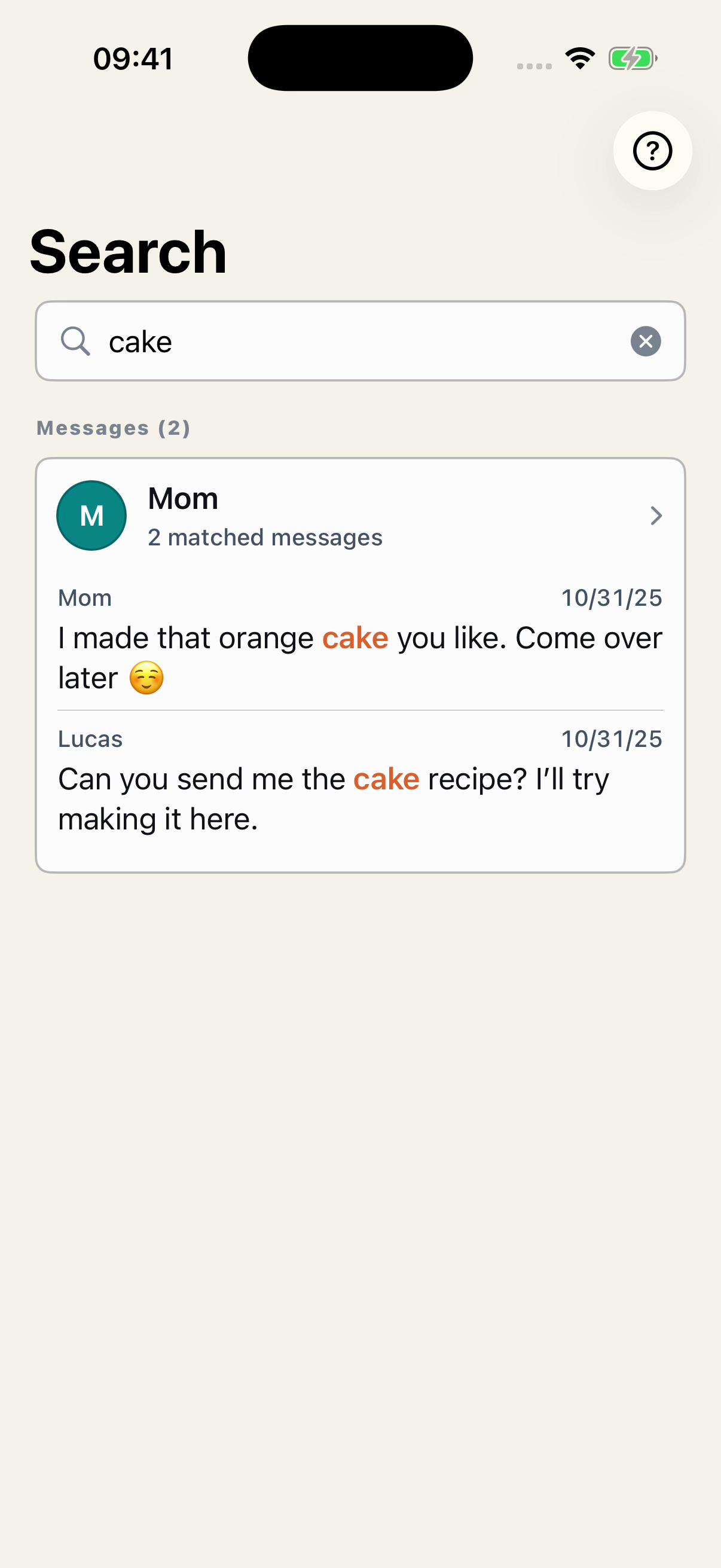
Export a WhatsApp conversation and keep a copy of your own. With Chat Archive, you can read the messages again, search for a word, and play the voice messages included in the export.

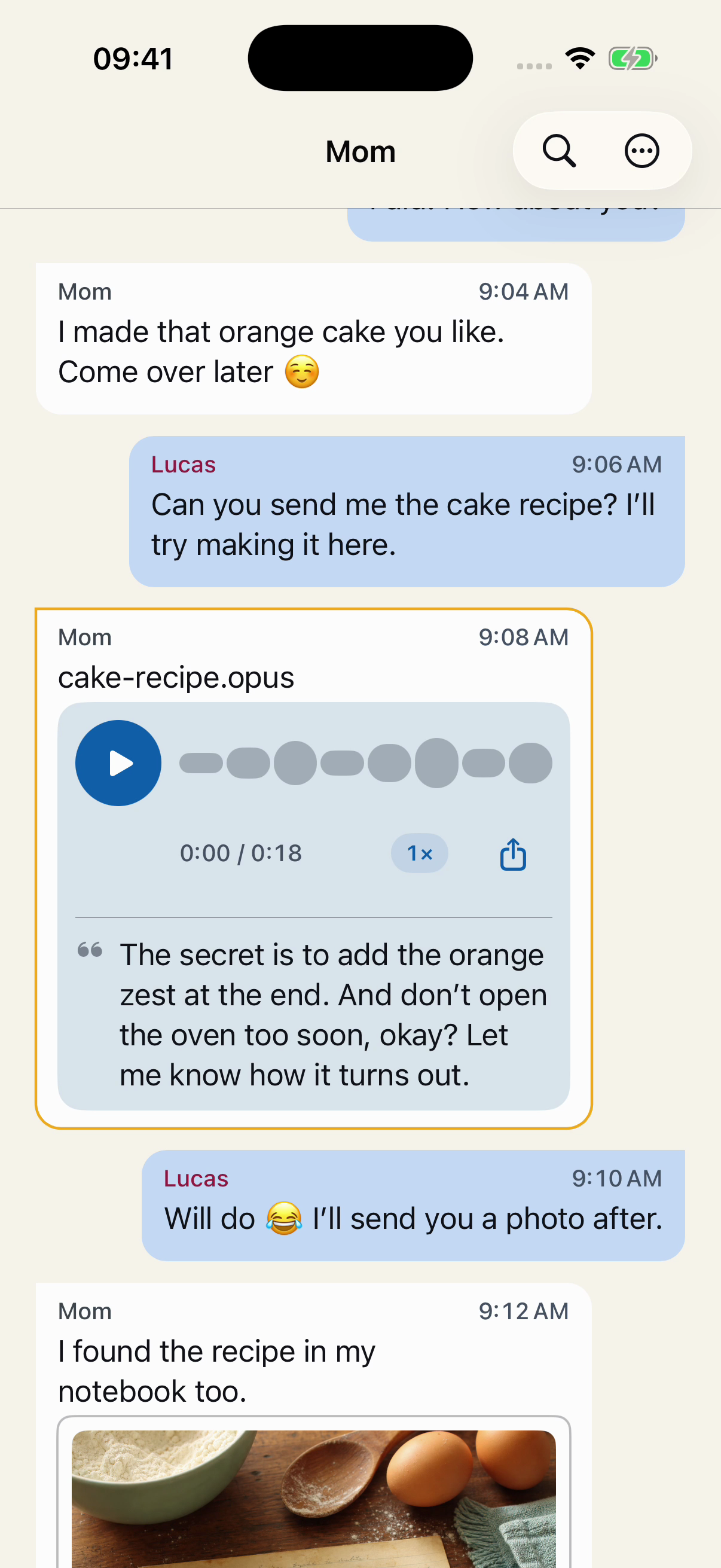
A fictional conversation with Mom in Chat Archive: a morning hello, an orange cake recipe, and a voice message.
Names, dates, and times. Every message in its place.

Your conversations are processed on your device.

Chat Archive screens with a fictional conversation. Reading the full conversation requires Premium.

READ THE CONVERSATION AGAIN

One message leads to another.

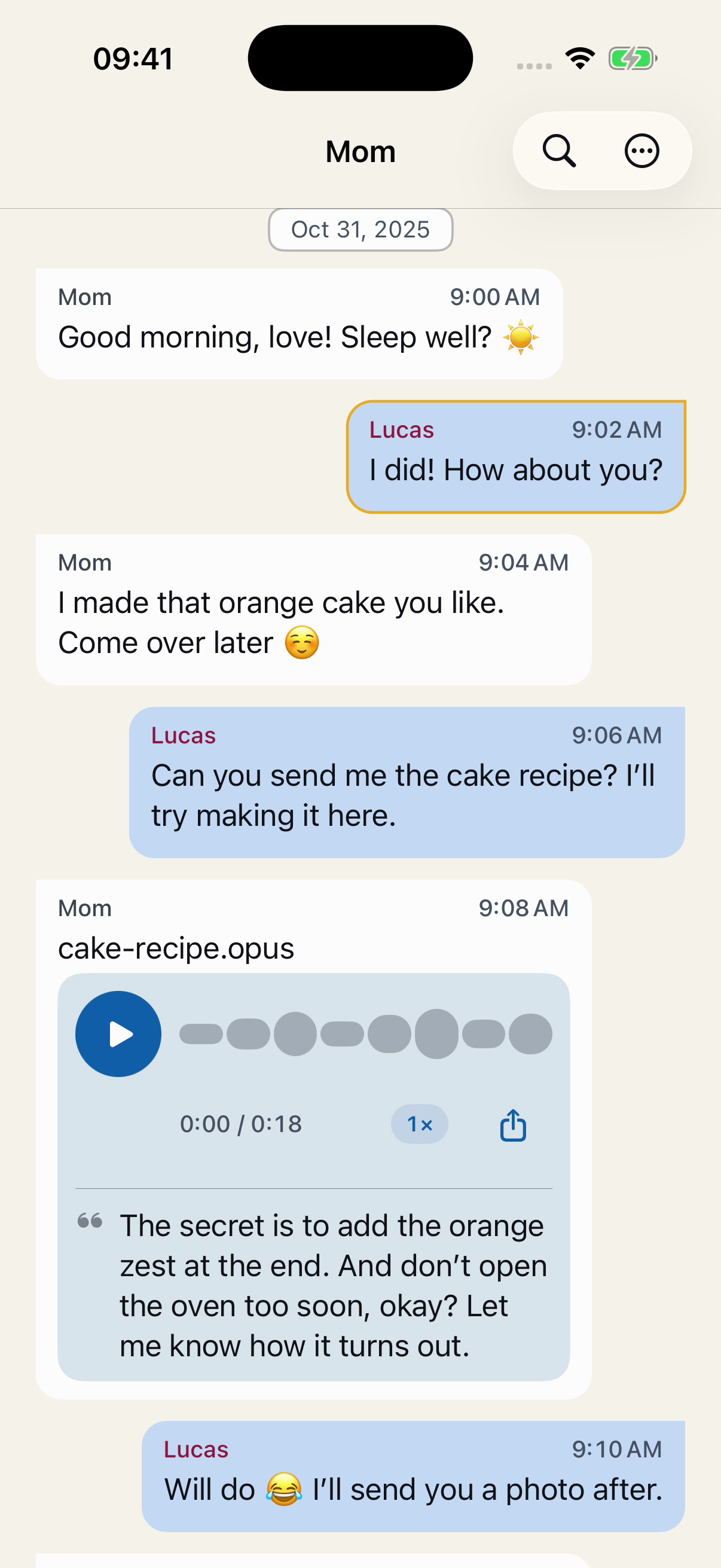
You ask for the recipe. A voice message explains how to make it. Then comes your promise to send a photo of the cake.

Exported messages appear in the order they were sent, with the sender’s name, date, and time.

Photos and voice messages included in the export stay alongside the messages, where they belong.

Fictional messages in order in Chat Archive: Lucas asks for the recipe, Mom sends a voice message, and he replies that he’ll send a photo of the cake.
The recipe request, the explanation, and Lucas’s reply. Fictional example.

HEAR SOMEONE YOU LOVE

Hear it in their own words.

Play the original voice messages included in your export, right in the conversation. Pause, continue, or go back to the part you want to hear again.

Detail of a fictional voice message from Mom in Chat Archive: an 18-second recording, playback and speed controls, and a recipe transcript.
The recipe voice message and its controls, inside the conversation. Fictional example.

The play button, recording length, and speed setting are right there in the message.

SAVED AND LABELS

The messages are part of the memory.

From the group invitation to the message after the party, a lot of the day lives in the conversation.

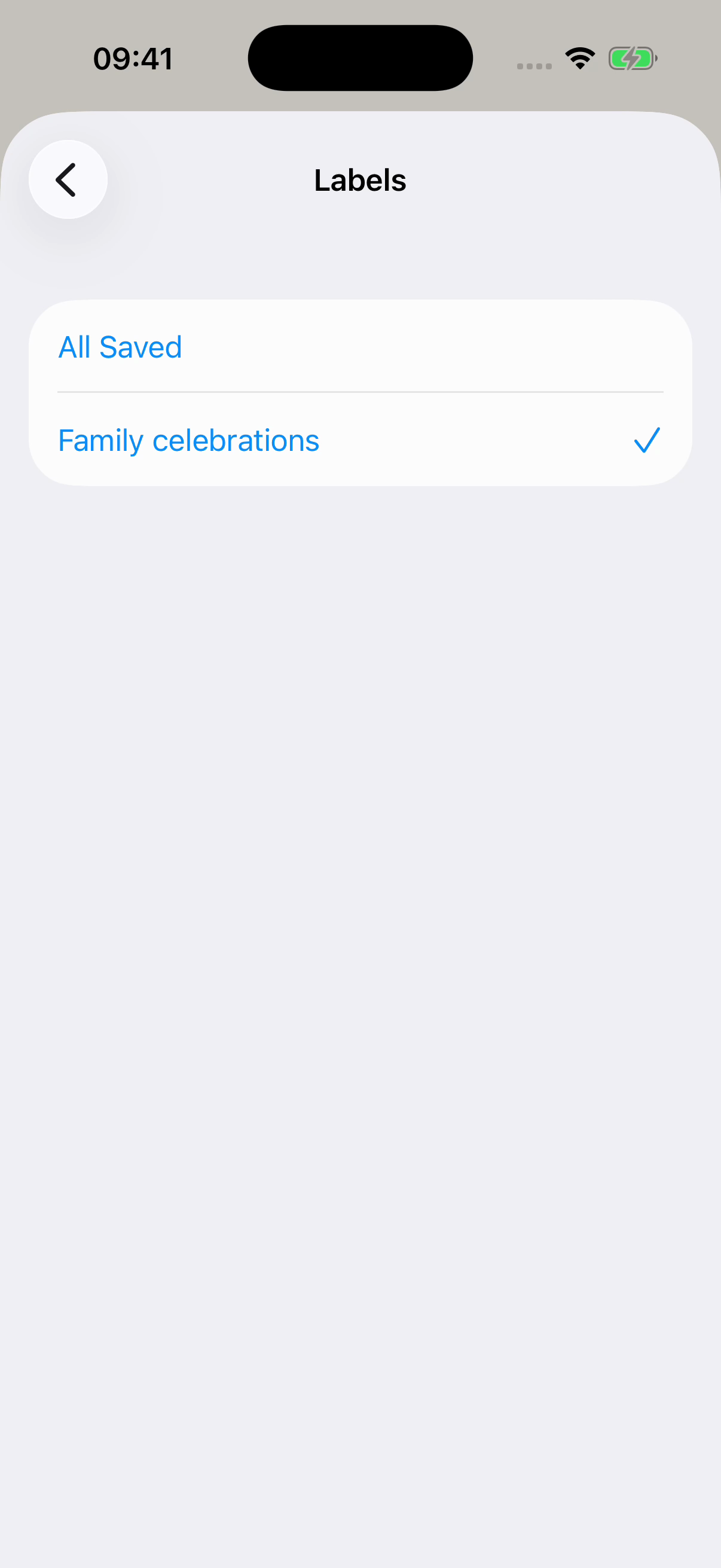
Choose the messages, save an excerpt, and give it a name like “Mom’s birthday”. Add the label “Family celebrations” to bring it together with other excerpts.

Chat Archive’s Labels screen with Family celebrations selected and All Saved above it. Fictional example.
Choose a label to see the excerpts grouped under it.
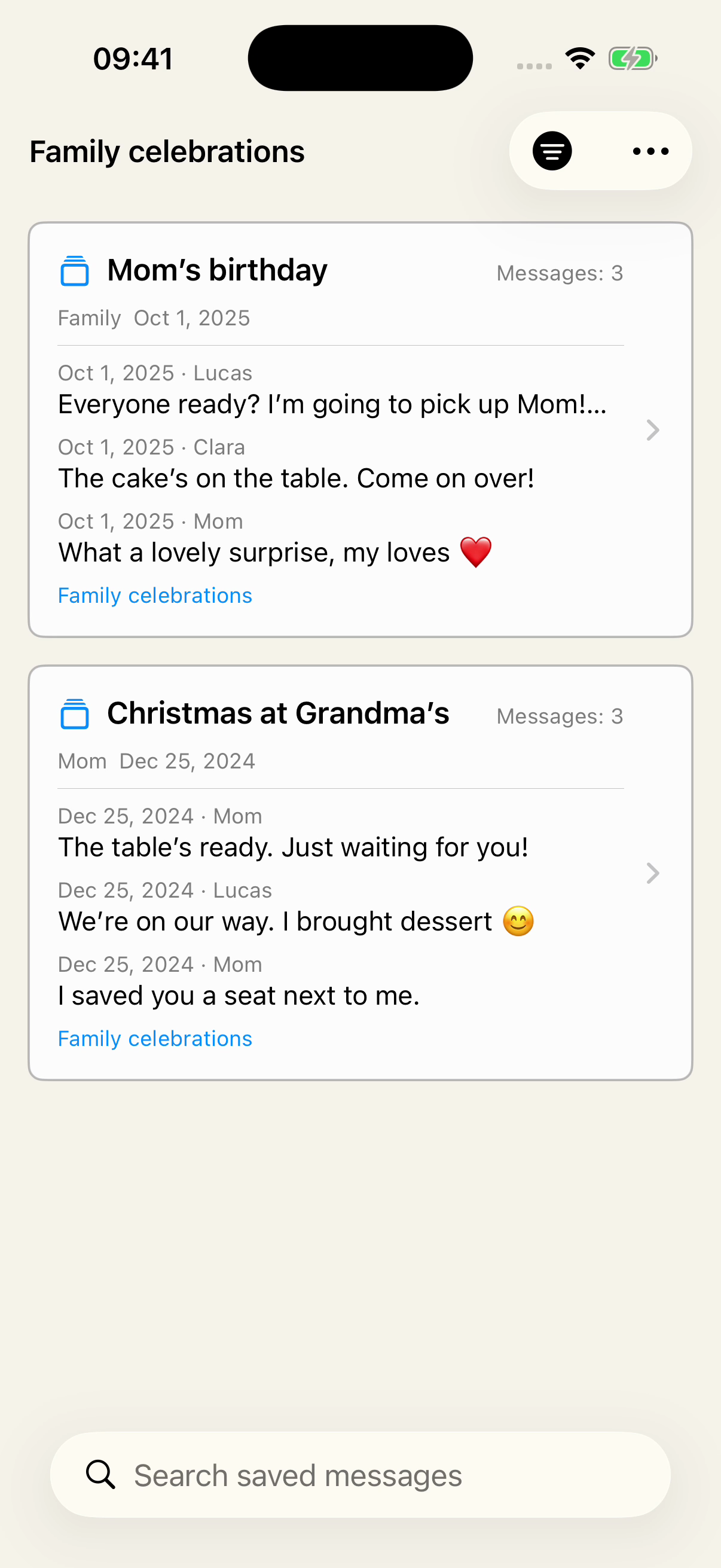
Saved in Chat Archive, filtered by Family celebrations, showing Mom’s birthday from the Family conversation and Christmas at Grandma’s from Mom, with message previews.
A birthday and a Christmas, from different conversations. One label brings both excerpts together. Fictional example.

One label can bring together excerpts from your conversation with Mom and the family group. You can see where each came from, with its messages in order.

  1. Choose what to keep

    Select the messages from that occasion in the imported conversation.

  2. Name the excerpt

    “Mom’s birthday” or “Christmas at Grandma’s”: choose a title that helps you recognize the memory.

  3. Find it by its label

    Add “Family celebrations” to the excerpts. Then choose that label in Saved to see them together.

START WITH YOUR OWN COPY

Export to keep. Import to read again.

The copy is yours, with or without Chat Archive. The app opens it so you can return to the messages, photos, and voice messages you kept.

  1. Export from WhatsApp

    Open the conversation you want to keep and choose the export option. Include media to bring available photos and voice messages with it.

  2. Keep the exported file

    Save it somewhere easy to find, and keep a second copy in another location, away from your phone.

  3. Open it in Chat Archive

    Import the ZIP file exported from WhatsApp and check what’s there: dates, messages, photos, and voice messages. Keep the original exported file outside the app, even after importing it.

YOUR QUESTIONS, ANSWERED

Before you keep a copy.

Can I bring together excerpts from different conversations?

Yes, with a label. For example, save an excerpt from your conversation with Mom and another from the family group, then add “Family celebrations” to both. They appear together under that label, while each excerpt remains linked to its source conversation.

Does exporting delete the conversation from WhatsApp?

No. Exporting creates a separate file and leaves the conversation in WhatsApp.

Does an export include every message, photo, and voice message?

Not necessarily. WhatsApp may leave out some history or media. Check the dates and messages that matter to you, and test that important photos and voice messages open. Chat Archive can only show what was included in the exported file.

Do I need Chat Archive to keep a copy?

No. You can export the conversation from WhatsApp and keep the file yourself. Chat Archive helps you use that copy: read the messages again, search them, and play the voice messages included in it.

Can I keep my only copy in the app?

Keep the exported file outside Chat Archive as well, and make a second copy in another location. The app’s library is stored on your device; Chat Archive is not a cloud storage service.

What’s free, and what requires Premium?

You can import your first conversation and try reading and searching for free. Saving excerpts and organizing Saved are free too. Reading the full conversation and accessing the complete voice-message history require Premium. You’ll see the purchase options in the app before you decide.

Does the app access my WhatsApp account?

No. You choose an exported chat to import. Its content is processed on your own device, without access to your WhatsApp account.

YOUR CONVERSATION, OUTSIDE WHATSAPP

Open the copy. Find the conversation again.

Try it with a conversation of your own: import your WhatsApp chat export, read a passage, search for a word, and play a voice message included in it.

Try it free with your first conversation. Reading the full conversation and accessing the complete voice-message history require Premium.

Download on the App StoreFor iPhone · iOS 18 or laterI haven’t exported my chat yet